
Anti-Raid
Detects mass-join attacks and auto-actions the joining members. The most-impactful security feature on most servers.
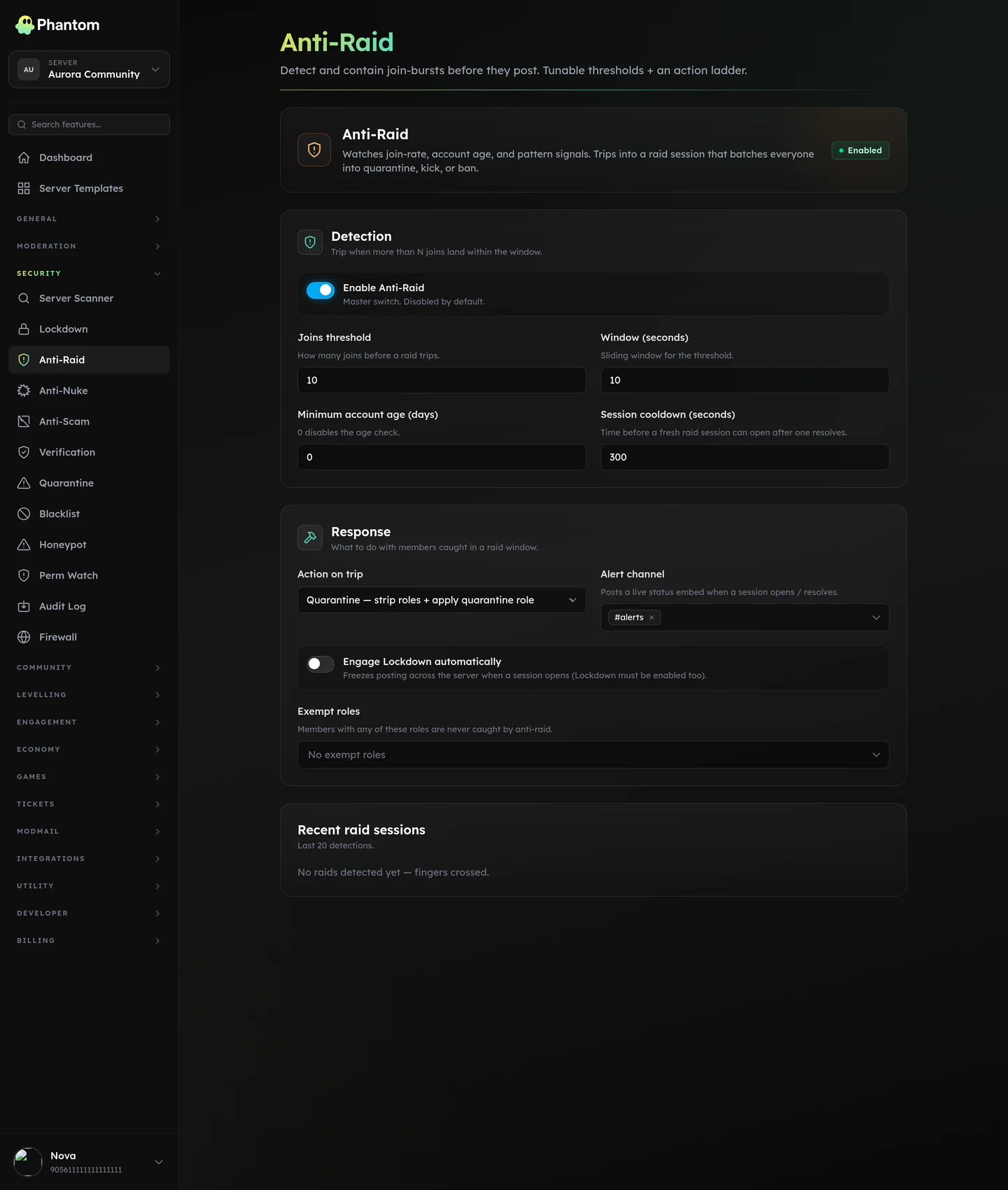 Security → Anti-Raid.
How it works
Anti-Raid watches the join rate — the number of members joining in a rolling time window. When the join rate exceeds your threshold, Phantom marks a "raid session" and starts auto-actioning every member that joins during that session.
Settings
| Setting | What it does |
|---|---|
| Enabled | Master switch. |
| Join threshold | Joins-per-window to trigger. Default 8. |
| Join window (seconds) | Rolling window. Default 10. |
| Min account age (days) | An additional filter that auto-actions accounts younger than this regardless of the raid threshold. 0 disables. |
| Action | What to do to raid members. quarantine / kick / ban / challenge. |
| Auto-lockdown | Engage server-wide Lockdown when a raid is detected. |
| Session cooldown (seconds) | After a raid is resolved, how long to keep watching before auto-resetting. Default 300. |
| Exempt roles | Members with any of these roles bypass the check. Useful for "verified members" lists. |
| Alert channel | Where to post the raid alert + a session summary. |
Actions
quarantine — strip the user's roles, give them the Quarantine role from your Quarantine config. Reversible if it's a false positive.
kick — kick the user. They can rejoin after the raid window closes.
ban — ban the user. They cannot rejoin. Don't use this unless you've tuned the thresholds.
challenge — engage Verification instead of an enforcement action. Combine with a button-mode verify panel so legit users can still get in.
Tips
- Default thresholds are tuned for medium servers. Big servers (5k+ members) may legitimately see 8 joins in 10s on busy days; bump the threshold to 12-15. Small servers (< 500) tighten to 4-5.
- Start with action =
quarantine. If the bot misjudges, you can release quarantined users one-click; banning is much harder to undo at scale. - Auto-lockdown is your nuclear button. Useful for high-profile servers; overkill for most.
- The alert channel is critical — without it you only know about the raid after the fact via the audit log. Pick a mod channel with notifications on.
Resolving a raid session
The alert message comes with two buttons: Resolve (mark the raid handled, keep quarantined members where they are) and Revert (mark the raid handled AND release everyone the session quarantined).
Use Revert when you decide it was a false positive — common during big events where a guild legitimately gets a spike of joins.
Cross-Server Sync
If you've enabled security sync on a network, these settings propagate from the source server's anti-raid config to every subscriber:
- Enabled toggle, join threshold, join window, minimum account age, action, auto-lockdown, and session cooldown.
The alert channel and exempt roles stay local per server (each server has its own channels and roles).
Permissions
security.view— see the page + current raid sessionssecurity.edit— change settings, manually resolve/revert sessions
Behaviour
- Each server's join-rate counter resets after the configured cooldown of no new triggers.
- An ongoing session is visible on the dashboard with a live count of members caught.
- Members exempted by role are silently let through without contributing to the count.
Related pages
- Verification — gate legit joins behind a challenge
- Quarantine — what happens when action=quarantine
- Lockdown — what auto-lockdown does
- Firewall — finer-grained join rules
- Automod → New-account — message-side complement