
Temp Channels
Members joining a "lobby" voice channel cause Phantom to create a private temp VC for them. The temp VC auto-deletes when everyone leaves.
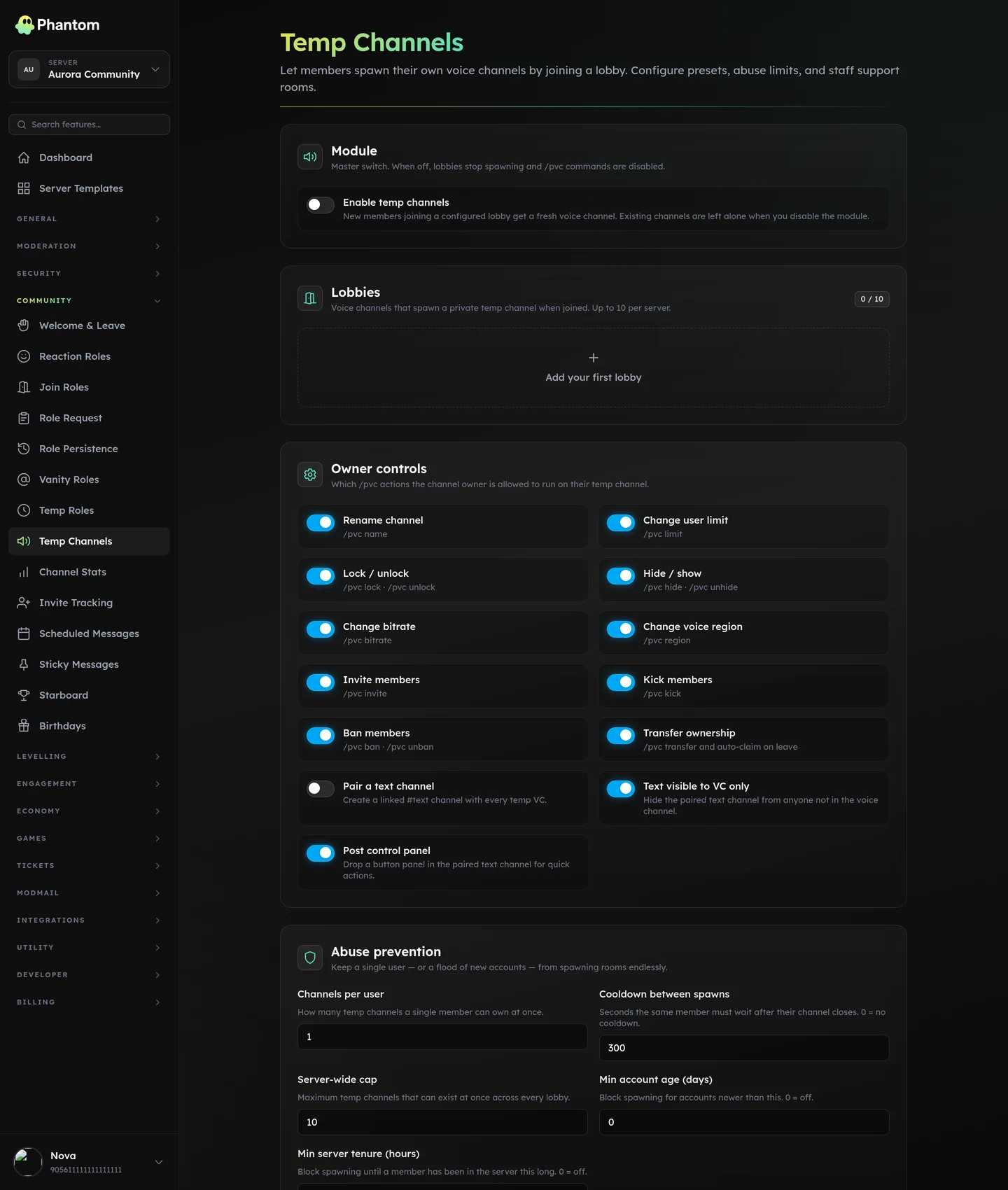 Community → Temp Channels.
Why
Lets you avoid having 50 named voice channels for every game / activity. Instead: one lobby per category (Gaming, Music, Public, Staff), and each joining member gets their own temp room.
How it works
- Member joins a configured "lobby" channel.
- Phantom creates a new VC named after their preset's template, with appropriate permissions.
- Member is moved into the new VC. They're the channel owner.
- Optional text channel auto-spawns next to it for the VC's text chat.
- When the VC empties, Phantom deletes it (after a short delay to allow rejoins).
Channel name format
Each lobby has its own Channel name format. Placeholders are substituted when the room is created:
| Placeholder | Becomes |
|---|---|
{username} | Username of the member who joined the lobby |
{display_name} | Their server display name, falling back to their username |
{discriminator} | Their discriminator (legacy accounts only) |
{index} | The room number for this lobby |
{lobby} | The name of the lobby they joined |
{server} | Your server's name |
{index} counts rooms, not members: the first live room from a lobby is 1, the next is 2, and a number is reused once that room closes. So Gaming {index} gives you Gaming 1, Gaming 2, Gaming 3 down the channel list. {number}, {num}, {n} and {count} are all accepted spellings of the same thing.
Anything Phantom doesn't recognise is left in the name as you typed it, so a typo is visible rather than silently dropped. Names are capped at Discord's 100 characters.
Presets
Built-in:
gaming— public; up to 10 users; voice + text.music— public; high bitrate; voice only.staff— locked to a staff role; private.public— anyone-can-join.custom— your own template (any feature combination).
Owner controls
Each temp VC owner sees a control panel message in the auto-spawned text channel. Buttons:
- Rename
- Lock (deny @everyone join)
- Hide (deny @everyone view)
- Set user limit
- Set bitrate
- Set region
- Invite a specific user
- Kick a user
- Ban a user (denies rejoin)
- Transfer ownership
Each button is feature-gated by the preset.
Settings
| Setting | What it does |
|---|---|
| Enabled | Master switch. |
| Lobbies | List of lobby channels with per-lobby preset. |
| Features per preset | Which control-panel buttons are enabled. |
| Abuse guards | max_per_user (concurrent temp VCs per member), cooldown (between creations), server_cap (total temp VCs), min_account_age, min_tenure_days, role filters. |
| Support config | A "staff-help" temp VC variant for support flows. |
Slash commands (/pvc)
Most people just use the control-panel buttons, but the owner of a temp VC can do everything with the /pvc command group too. Run these from inside your own temp channel:
| Command | What it does |
|---|---|
/pvc name <name> | Rename your channel. |
/pvc limit <count> | Set a user limit (0 = unlimited, up to 99). |
/pvc lock / /pvc unlock | Stop or allow new people joining. |
/pvc hide / /pvc unhide | Hide or show your channel to everyone else. |
/pvc bitrate <kbps> | Set the audio quality (kept within your server's boost tier). |
/pvc region <region> | Set the voice region, or leave it on Automatic. |
/pvc invite <user> | Let a specific person in while your channel is locked or hidden. |
/pvc kick <user> | Remove someone from your channel. |
/pvc ban <user> / /pvc unban <user> | Stop someone rejoining your channel, or lift it. |
/pvc transfer <user> | Hand ownership to someone else. |
/pvc claim | Take ownership when the previous owner has left. |
Staff have one extra command:
/pvc support <user> [topic]— open a private support voice room with a member.
Limits
- 10 lobbies per guild
- 100-char max VC name
- 99 user limit (Discord cap)
- 8K–384K bitrate (boost-tier-aware)
Permissions
community.view— see lobbies + settingscommunity.edit— change lobbies, presets, abuse guards- VC owner controls are scoped to the owner, not Phantom permissions.
Tips
- Always set abuse guards. Without
max_per_user, a single member can fork-bomb your server with thousands of empty VCs. - Music preset with high bitrate is heavy on Discord's bandwidth; charge a small currency cost via a custom integration if needed.
- Staff-only lobbies are great for impromptu mod calls during incidents.
Related pages
- Channel Stats — live VC member counts