
Error Log
Surfaces user-actionable Phantom errors on your server. "Phantom can't post in #welcome — missing Send Messages permission." Each entry comes with the exact fix.
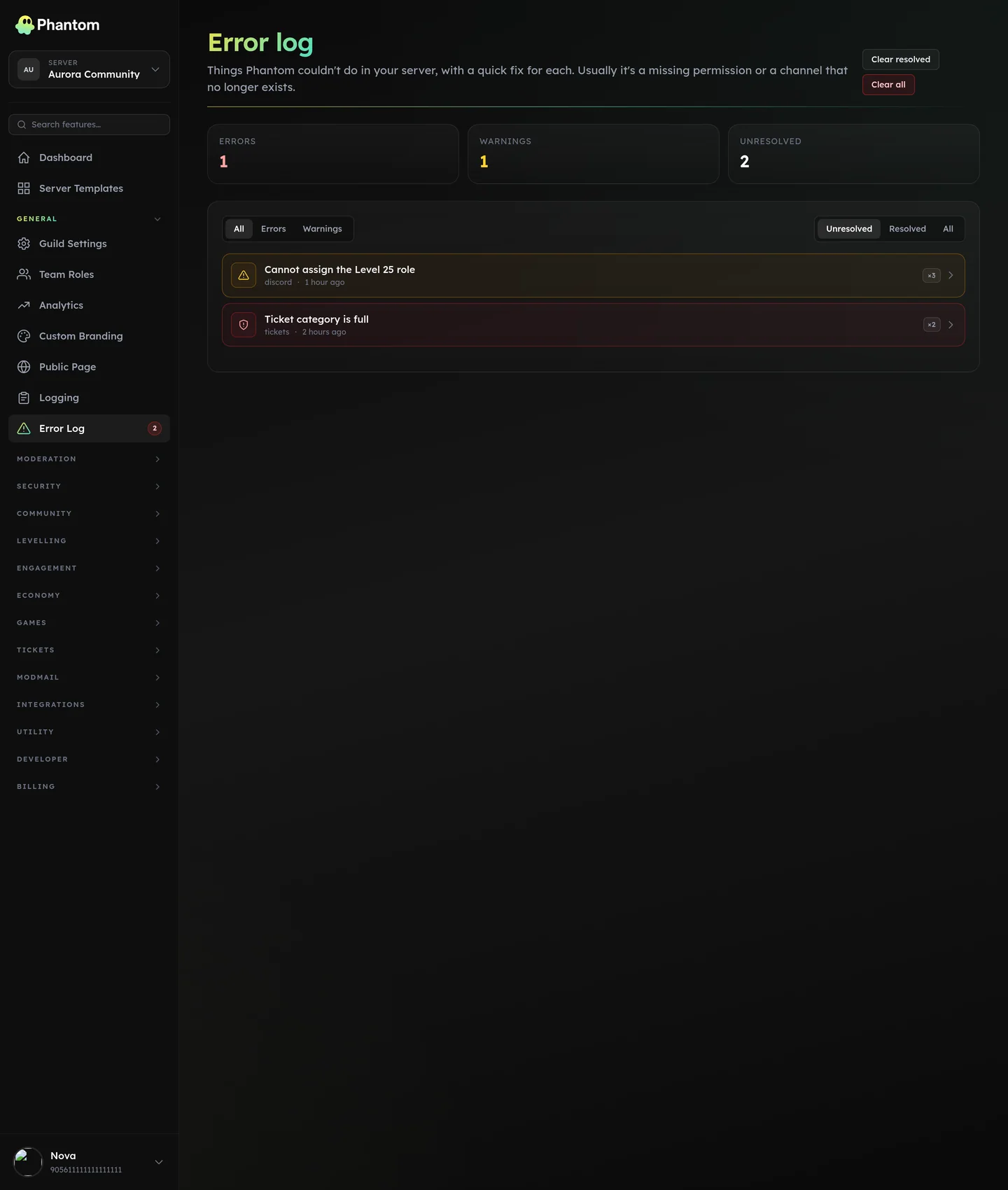 General → Error Log.
Where it lives
Dashboard: General → Error Log. Sidebar badge counts unresolved errors.
Common error codes
| Code | Meaning | Fix |
|---|---|---|
missing_send_messages | Phantom can't post in the configured channel. | Grant Send Messages permission to Phantom's role in that channel. |
missing_embed_links | Phantom can send text but not embeds. | Grant Embed Links permission. |
missing_manage_messages | Phantom can't pin/delete/etc. | Grant Manage Messages. |
missing_manage_roles | Phantom can't assign roles. | Grant Manage Roles on the role or globally. |
missing_manage_channels | Phantom can't create/rename/delete channels. | Grant Manage Channels. |
missing_moderate_members | Phantom can't timeout members. | Grant Timeout Members. |
missing_ban_members / missing_kick_members | Phantom can't ban/kick. | Grant the respective permission. |
missing_view_channel | Phantom can't see a configured channel. | Add Phantom's role to the channel or pick a different one. |
missing_add_reactions | Phantom can't react in the configured channel. | Grant Add Reactions. |
role_hierarchy | Phantom's role is below the role it's trying to manage. | Drag Phantom's role above the target role in Server Settings → Roles. |
channel_deleted | A configured channel was deleted from Discord. | Open the relevant dashboard page and pick a new channel. |
role_deleted | A configured role no longer exists. | Open the relevant dashboard page and pick a different role. |
webhook_missing | A webhook Phantom created was deleted. | Re-publish from the relevant dashboard page. |
no_channel_configured | Module is enabled but no channel is set. | Pick a channel on the module's dashboard page. |
no_staff_roles | Moderation commands lack a configured staff role. | Add at least one mod role in Guild Settings or Team Roles. |
Severity
- Error — actively breaking something (Phantom can't moderate the spammer because it lacks the perm).
- Warning — degraded; will degrade further if not fixed (a deleted log channel means future events won't be logged).
Auto-dedupe
Repeated occurrences of the same error don't create new entries — they bump the occurrence count and last-seen timestamp on the existing entry. So your error log doesn't get flooded with 500 copies of "Phantom can't post in #welcome."
Acknowledge / Resolve
Click Acknowledge to mark an error as "I've seen it, working on it." Click Resolve when fixed.
A re-occurrence after acknowledge re-opens the entry so you see "this came back."
Mirror to staff Discord
Optional: error-severity events also post in a designated #errors channel (typically a private staff channel) so the team sees them in real-time without clicking into the dashboard.
Permissions
error_log.view— see the logerror_log.edit— acknowledge, resolve, change mirror settings
Tips
- Check the error log daily for the first week after enabling new modules. It's where misconfiguration surfaces.
- A flapping error (re-opens repeatedly) usually means a systemic issue, not a one-off. Investigate before muting it.
Behaviour
- Error context (channel ID, role ID, etc.) is cleaned up before mirroring to Discord — anything that looks like a secret or token is redacted so it can't leak.
- Entries older than the configured retention auto-prune.