
Audit Log
A tamper-resistant record of every security event Phantom processes — raids detected, scams flagged, firewall rules tripped, backups taken, lockdowns engaged. Distinct from your Discord server's native audit log; this is the bot's record of bot-relevant events.
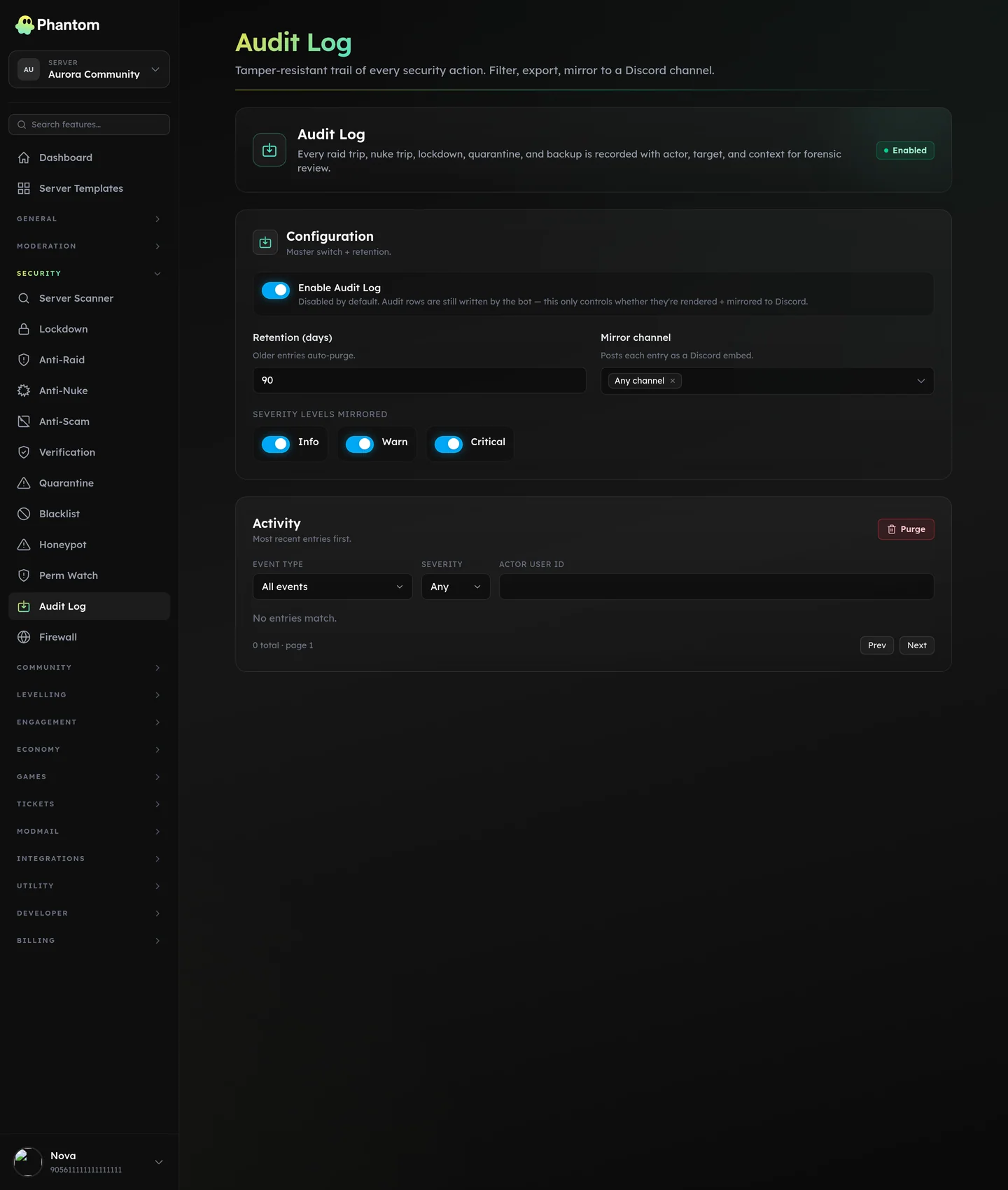 Security → Audit Log.
What's logged
Every security feature writes here. Examples:
- Anti-Raid session opened / resolved / reverted
- Anti-Nuke incident detected + auto-revert outcome
- Anti-Scam detection (link to the offending message)
- Firewall rule triggered (which rule, which user, which action taken)
- Verification challenge passed / failed / expired
- Backup created / restored
- Lockdown engaged / lifted
- Quarantine added / released
- Scanner run / fix applied / dismissed
- Honeypot tripped
Plus dashboard actions:
- Feature toggled on/off (anti-raid enabled/disabled, etc.)
- Configuration changed (which actor)
What each entry shows
| Field | Notes |
|---|---|
| Event type | e.g. anti_raid_resolved, firewall_hit. |
| Severity | info / warn / critical. |
| Source | bot / dashboard / system. |
| Actor | The Discord user who triggered it (when known). A friendly fallback name is kept so old entries still read cleanly even if the user has left. |
| Target | The thing acted on (user, role, channel, server, or rule) along with what kind it was. |
| Summary | One-line human-readable description. |
| Context | Extra structured detail — diffs, payloads, rule IDs. |
| When | Timestamp. |
Where it lives
Dashboard: Security → Audit Log. Filterable by event type, severity, source, time range.
Settings
| Setting | What it does |
|---|---|
| Enabled | Master switch. |
| Retention (days) | How long entries are kept. Default is server-configurable; absolute max is 365 days. |
| Severity threshold | Drop entries below this severity. Default info (keep everything). |
Tips
- Don't disable. This is the paper trail you need when something goes wrong. Even on small servers, the storage cost is negligible (~MB/year).
- Set retention to at least 30 days. For most incidents you don't realize you need to investigate until days later.
- Export periodically. If you're doing a security review, the dashboard's export-to-CSV button gives you a full dump.
Permissions
security.view— read the logsecurity.edit— change retention, purge entries, export
Behaviour
- Entries can only be added by the bot — the dashboard's "purge" requires
security.edit. - Filtering by event type, severity, and time range stays fast even with very large logs.
- Old entries past your retention setting are pruned automatically.
Related pages
- Every other Security page — they all write here.
- Logging — the moderation-side log (separate stream, different scope).