
Server Scanner
A one-click audit of your server's permission posture. Looks for misconfigurations that an attacker would exploit — overly-permissive roles, dangerous integrations, missing 2FA on the owner account, etc.
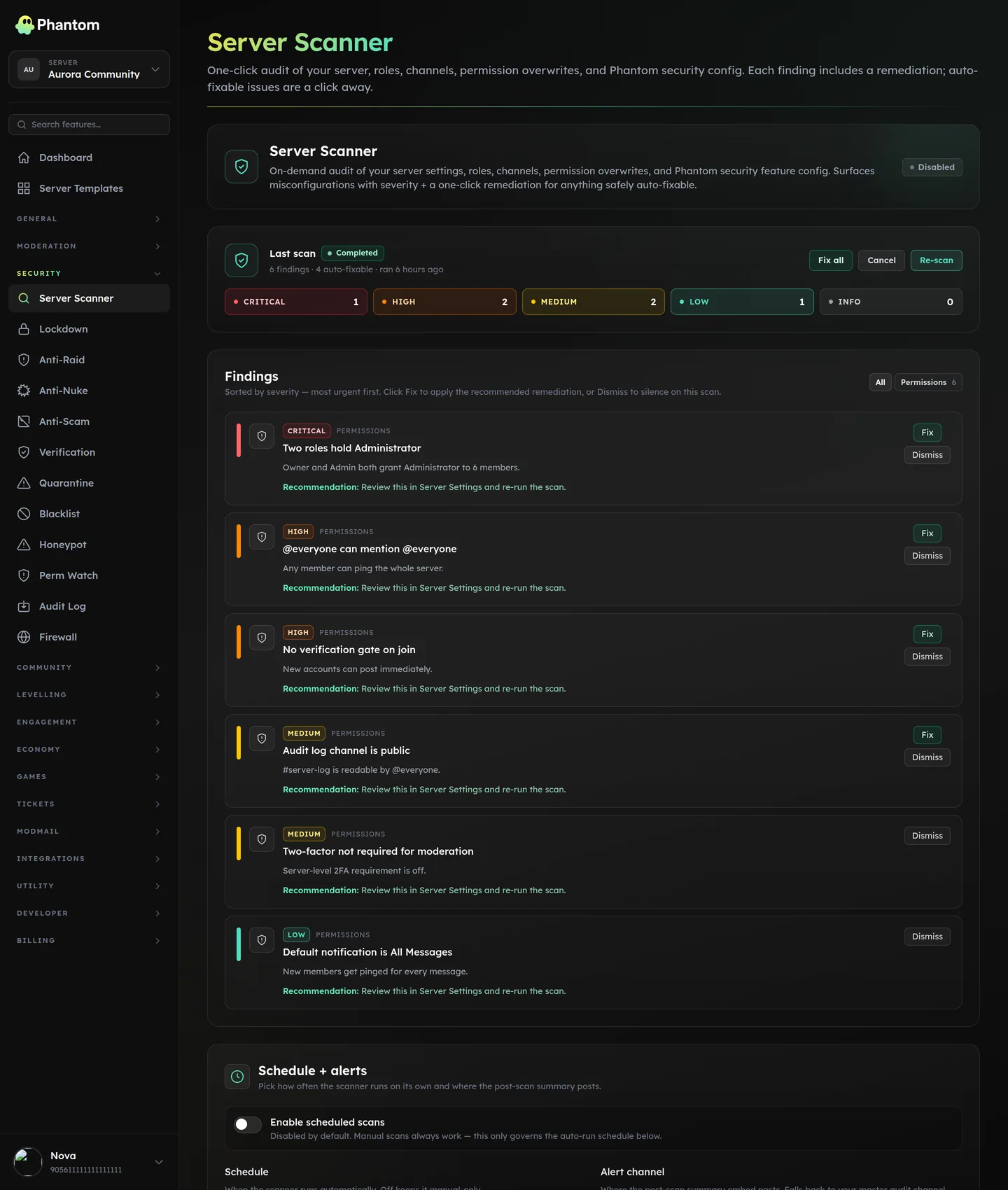 Security → Server Scanner, after a scan.
What it scans for
- Role permissions — roles holding Administrator that shouldn't, roles with ManageGuild assigned to too many members, ManageWebhooks granted to @everyone.
- Channel overwrites — channels with surprising permission grants (e.g. a "private mod channel" actually viewable by @everyone).
- Integration permissions — third-party bots holding broad permissions when they only need narrow ones.
- Owner account hygiene — does the server owner have 2FA enabled (where the bot can detect it)?
- Verification level — does the server's Discord verification level match a recommended baseline?
- Public role audit — anyone holding a role they shouldn't.
When to scan
- After adding a new bot (catch over-permissive defaults)
- After a quiet period of admin changes (drift detection)
- Before a high-stakes announcement / event (last-minute hygiene check)
- Quarterly as a discipline
Settings
| Setting | What it does |
|---|---|
| Enabled | Master switch. |
| Scan throttle (seconds) | Cooldown between manual scans. Default a few minutes. Stops trigger-happy admins from spam-scanning. |
| Retention | How long scan results are kept. |
Running a scan
Open Security → Server Scanner → click Scan now. The bot queues a scan; results land within ~30 seconds and show on the page.
Each finding has:
- Severity — info / warn / critical.
- Title — what the issue is.
- Detail — why it matters.
- Fix — a button that applies the recommended fix (where possible). Some fixes can't be auto-applied (e.g. "enable 2FA on your account") and surface as info-only.
Fix flow
Where Phantom can auto-fix:
- Click Apply fix.
- Phantom applies the change. Clicking it again on the same finding does nothing — it's safe to retry.
- The finding is marked as fixed; the next scan should not re-report it.
You can also Dismiss a finding if it's a known acceptable risk.
Tips
- Don't auto-apply blind. Read what each fix does first. Some "fixes" can change permissions in ways you didn't intend.
- Schedule scans monthly. Drift creeps in over time; quarterly is too late.
- Critical findings should be fixed within hours, not days. They're called critical for a reason.
Permissions
security.view— run scans, view findingssecurity.edit— apply fixes, dismiss findings
Behaviour
- One scan per server at a time — if a scan is already running, you'll see a "scan in progress" message.
- The cooldown is enforced for everyone, not just per-user.
- Applying the same fix twice is safe — it won't double up.
Related pages
- Audit Log — every fix action is logged here
- Anti-Nuke — detects the act of dangerous changes; this scans for the state
- Server Backup — snapshot before applying bulk fixes