
Channel Stats
Auto-updating channel names showing live stats — member count, bots, roles, channels, boosts, even FiveM player count.
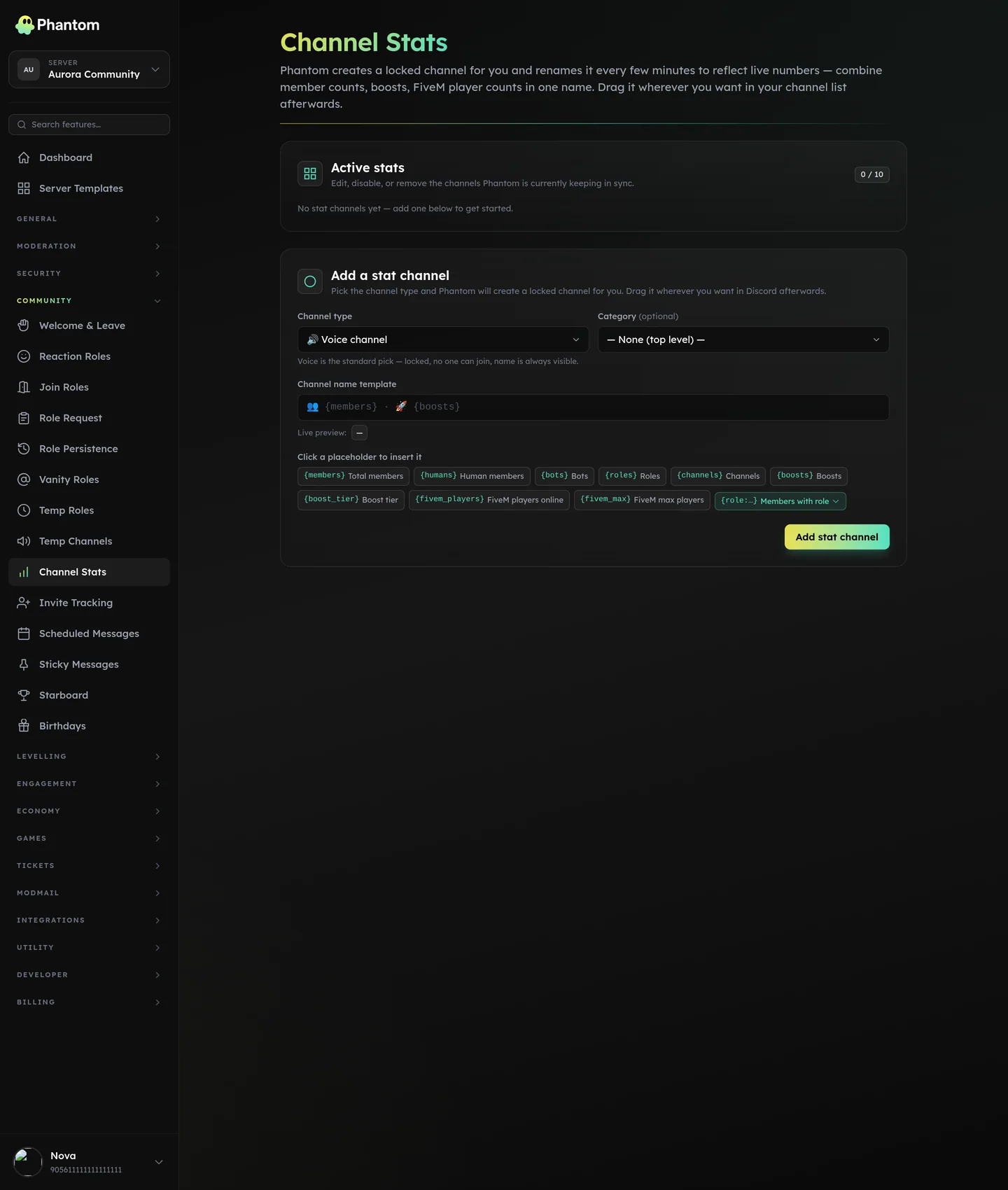 Community → Channel Stats.
What you can show
| Placeholder | Renders |
|---|---|
{members} | Total member count |
{humans} | Human members (non-bot) |
{bots} | Bot count |
{roles} | Role count |
{channels} | Channel count |
{boosts} | Number of nitro boosts |
{boost_tier} | Server boost tier (0, 1, 2, 3) |
{fivem_players} | Live FiveM player count (requires FiveM Integration) |
{fivem_max} | FiveM server max slots |
Setup
- Create a channel in Discord (any type — text, voice, category). Voice channels are most common because they're highly visible.
- Set the channel permissions so @everyone can't connect / send. They're for display only.
- On the Channel Stats dashboard, click Add, pick the channel, set the name template (e.g.
👥 Members: {members}). - Save.
The channel name updates within ~6 minutes (Discord rate-limits channel renames at 2 per 10 minutes per channel).
Tips
- Use voice channels. They're highly visible in the channel list and members can't accidentally type in them.
- Lead with an emoji so the channel is recognisable at a glance.
- Keep the template short. Discord channel names cap at 100 chars but anything over ~30 looks ugly in narrow sidebars.
{humans}is more honest than{members}— most servers don't want their bot count inflating the member figure.
Limits
- 10 stat channels per guild
- 6-minute minimum refresh interval (Discord-imposed)
- 100-char max channel name
Permissions
community.view— see settingscommunity.edit— add / edit / delete stat channels
Behaviour
- Stat channels refresh in the background; expect updates roughly every 6 minutes.
- If Discord rate-limits a rename, Phantom quietly retries — no error shown to members.
Related pages
- FiveM Integration — for
{fivem_*}placeholders - Invite Tracking — separate page for member-acquisition tracking