
Logging
Mirrors Discord events + Phantom actions into a configured Discord channel. Your tamper-resistant paper trail.
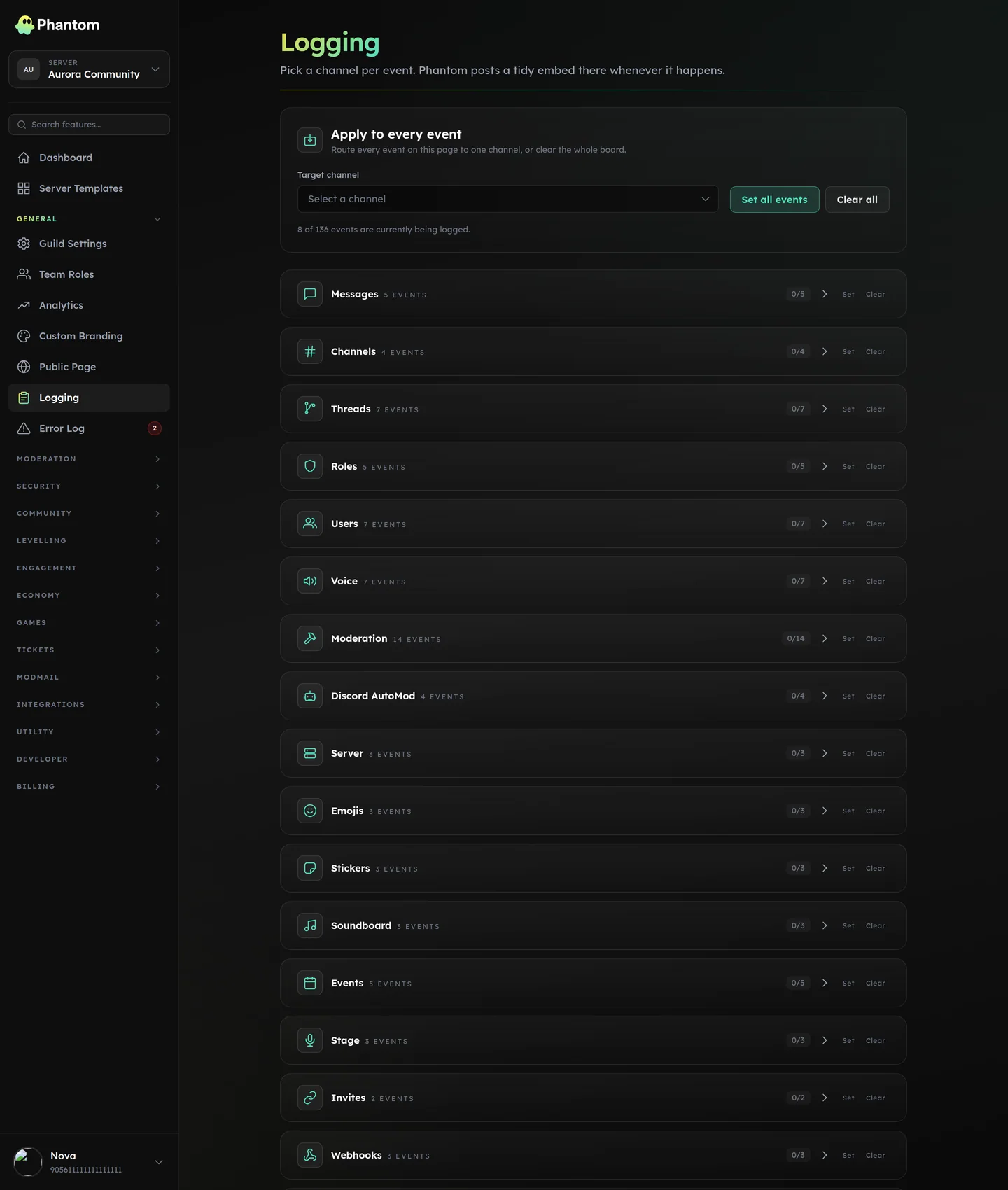 General → Logging.
What gets logged
Default categories (toggle each independently):
- Moderation actions — every
/pmodcommand + automod hit + warning escalation. - Member joins / leaves — with account age + invite attribution.
- Member updates — nickname changes, role changes.
- Role changes — server-wide role creates / deletes / permission changes.
- Channel changes — channel creates / deletes / renames / permission overwrites.
- Voice events — VC joins / leaves / mutes (configurable verbosity).
- Message deletes — content + author + channel (the "snipe" log). Phantom keeps its own snapshot of recent messages so a delete still names the author and shows the text after Discord has dropped the message from the bot's cache. Two things it can't recover: a message posted before Phantom last restarted, and one older than the snapshot window. Those are labelled as not recorded rather than shown as empty — Discord sends nothing on a delete event and has no way to look a deleted message up afterwards.
- Message edits — before/after content.
- Server settings — verification level changes, AFK channel, etc.
- Emoji + sticker changes — adds, deletes, renames.
- Webhook + integration changes — pairs with Perm Watch.
- Soundboard changes — new sounds, removed sounds.
Where it lives
Dashboard: General → Logging.
Setup
- Pick a log channel (or multiple — you can route different categories to different channels).
- Toggle the categories you want.
- Save.
Events start flowing within seconds.
Multi-channel routing
Useful for big servers: send mod-actions to #mod-log, voice events to #voice-log, message edits to #edit-log, etc. Each category has its own channel field.
Permissions
guild.view— see settingsguild.edit— change channel routing + toggles
Tips
- Always log moderation actions. Even small servers — it's your audit trail.
- Voice logs are noisy. Consider only logging VC events on a smaller scoped channel.
- Message-edit logs can leak private content if the channel is widely visible. Restrict access to the edit-log channel to staff only.
Distinct from Security → Audit Log
- Logging (this page) = Discord-side events mirrored as a paper trail. High-volume; for day-to-day mod review.
- Audit Log = Phantom security-system events (raids, scans, fixes). Lower-volume; for incident review.
Both are useful. Most servers run both, in different channels.
Behaviour
- Logs post via the bot — uses your Custom Branding identity if set.
- Per-channel sends are coalesced; a burst of 20 voice events in one second batch into one log message.
- A log-send failure (permission revoked) logs to Error Log for diagnosis.