
Custom Commands
Server-defined slash commands that respond with a configurable text / embed reply. No code required.
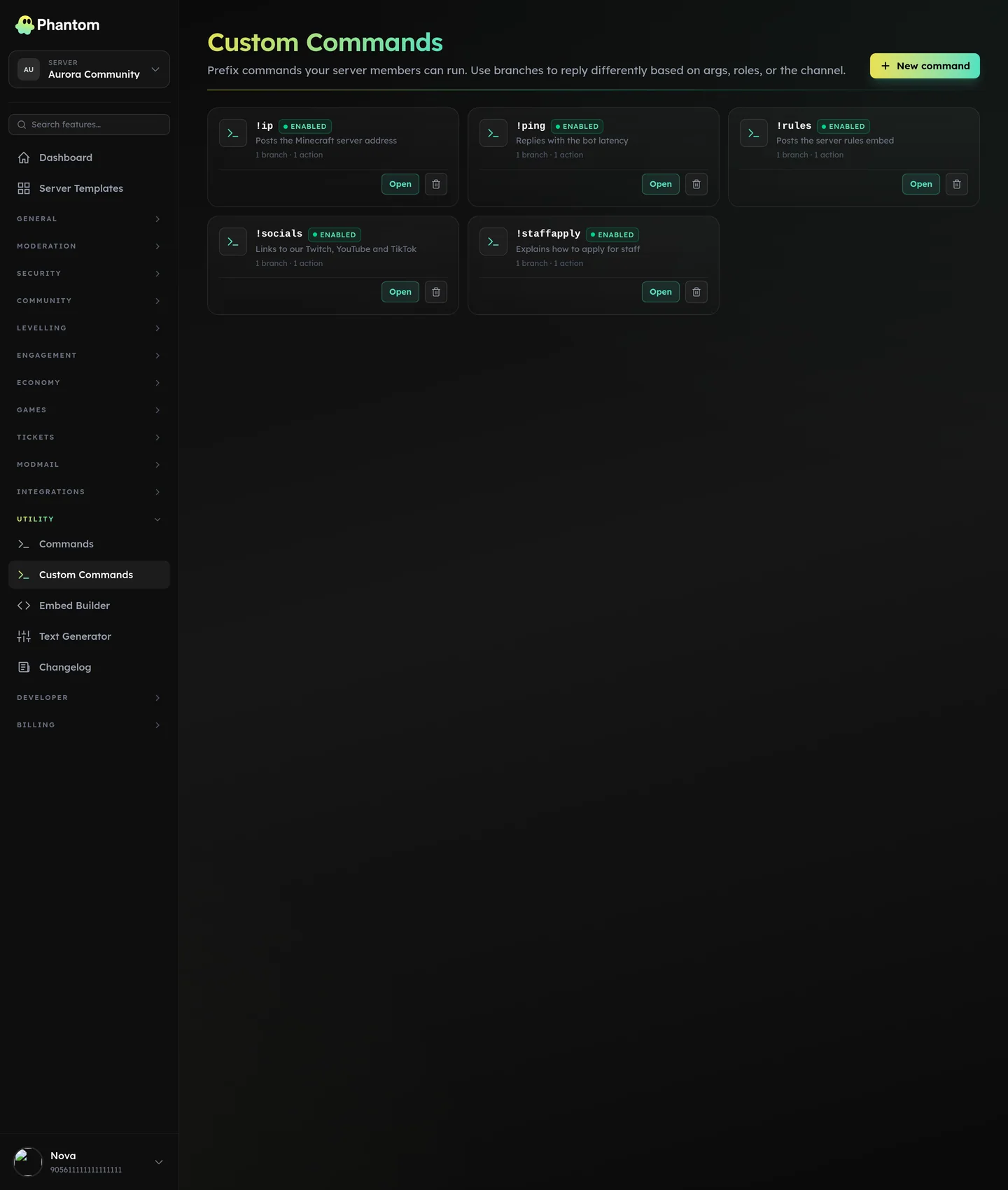 Utility → Custom Commands.
Use cases
/rules→ posts your rules embed/socials→ links to your Twitter, YouTube, Instagram/staffapp→ instructions for applying to staff/uptime→ custom server status message
Where it lives
Dashboard: Custom Commands.
Setup
- Click Add command.
- Pick the command name (e.g.
rules) — exposed in chat as/rules. - Pick the response type:
- Text — plain text reply
- Embed — rich embed (use Embed Builder to design)
- Write the response. Supports placeholders:
{user},{user.mention}— invoker{args}— what the invoker typed after the command{mention}— the first user the invoker @-ed{server},{server.member_count}— server name and size{channel}— current channel
- Save.
Mentions in arguments
A user the invoker @-ed in their own message is relayed as a real mention, so !say hey @bob pings Bob rather than printing his ID.
Roles are not. !say @Moderators get in here comes out as plain text, whichever way it was typed — otherwise any member could use a public command to mass-ping staff. An @RoleName you type into the response yourself still pings; only what the invoker supplies is held back.
The command is registered with Discord within a few seconds and appears in the slash-command picker for your server.
Logic
Custom Commands support a small templating language for conditional logic + light arithmetic:
{if args == "help"}
  See the rules at <#rules-channel-id>
{else}
  Use `/rules help` to see the rules.
{endif}
This is intentionally limited to text manipulation — no external calls, no Discord actions. For richer logic, use Interactive Panels.
Actions
Each branch runs one or more actions:
| Action | What it does |
|---|---|
| Reply with text | Replies to the member's message, so Discord shows the reply header naming them. |
| Send message | Posts the same text into the channel on its own — no reply header, nothing pointing back at whoever ran the command. |
| Reply with embed | Replies with a rich embed. |
| DM the invoker | Sends the text to the member's DMs. |
| Add a role / Remove a role | Changes a role on the invoker or the first user they mentioned. |
| Send to another channel | Posts text and/or an embed into a different channel. |
Deleting the trigger message
Each command has a Delete the trigger message setting:
- Use server default — follows Settings → Delete command input.
- Always delete it — the member's message is removed once the command has run.
- Never delete it — left alone regardless of the server default.
Phantom needs Manage Messages in the channel to delete anything.
Pair this with the Send message action for an anonymous relay:
- Name the command
anon. - Add one action — Send message — with the content
{args}. - Set Delete the trigger message to Always delete it.
A member types !anon message here; Phantom posts message here on its own and removes the original, so nothing in the channel names the sender. Use Reply with text here and Discord would leave the reply pointing at a deleted message — which is why the standalone action exists.
Worth knowing before you enable it: an anonymous relay leaves your staff no record of who sent what. Consider a required role, a cooldown, or restricting it to one channel.
Permissions
custom_commands.view— see existing commandscustom_commands.edit— add / edit / delete
Members can run any custom command (no per-command permission gating beyond Discord's own role-based channel access).
Limits
Free plan: 5 custom commands per server. Phantom Pro makes it unlimited. Commands you already have above the cap keep working if a server drops to Free — you just can't add more.
System limits, on every plan:
- Per-guild custom command count: configurable; soft cap around 100.
- Command name: 3–32 chars, lowercase, alphanumeric + underscore.
- Response length: matches Discord's message/embed limits (2000 chars plain, 6000 chars across an embed).
Tips
- Lowercase command names are required by Discord.
- Use embeds for anything multi-line — embeds get better visual treatment than plain text.
- Cross-Server Sync custom commands is on the roadmap; until then, you'll need to recreate per-server.
Related pages
- Embed Builder
- Interactive Panels — for richer logic
- Scheduled Messages — different pattern (time-triggered, not command-triggered)