
Temp Roles
Grant a role for a limited duration. Auto-revoked when the timer elapses.
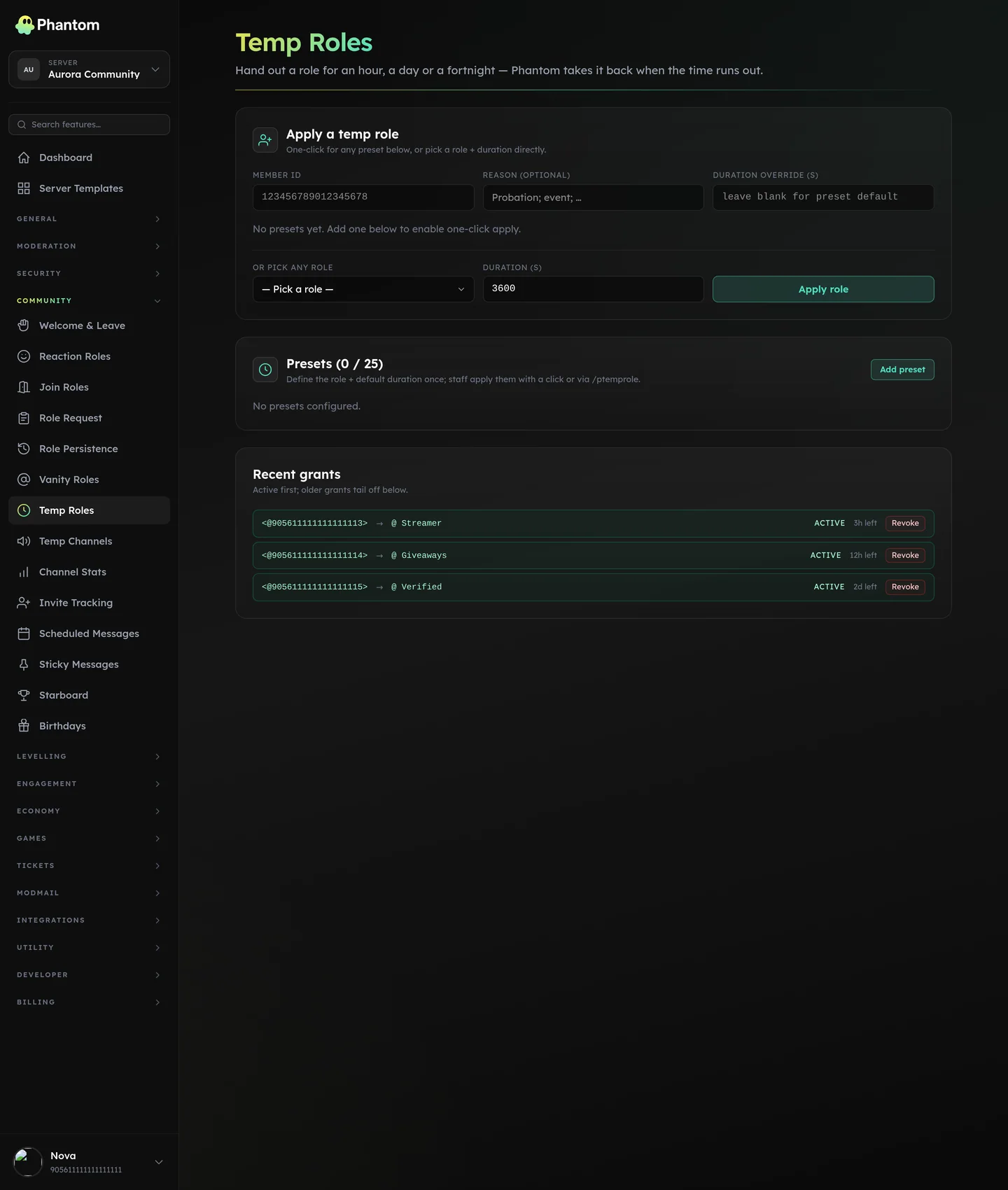 Community → Temp Roles.
When to use
- Event roles ("@LAN-Attendees" valid for 3 days around an event)
- Reward / honour roles with a half-life ("Member of the Month" for 30 days)
- Trial promotions ("@Trial-Mod" for 7 days to evaluate)
- Cooldown roles ("@no-self-promo for 1 day after the last self-promo")
Where it lives
Dashboard: Community → Temp Roles. Slash command: /ptemprole.
Slash commands
/ptemprole grant @user <role> <duration>— staff grants a temp role./ptemprole revoke @user <role>— staff revokes early./ptemprole info [user]— member checks their own temp roles, or staff checks someone else.
Duration format: 5m, 2h, 1d, 1w. Min 60 seconds, max 1 year.
Presets
You can define presets on the dashboard — named duration shortcuts (e.g. "Hour Pass" = 1h, "Day Pass" = 1d). Members + staff see them in the slash-command auto-complete.
Built-in suggested presets: 5m, 15m, 1h, 6h, 1d, 7d, 30d.
Settings
| Setting | What it does |
|---|---|
| Enabled | Master switch. |
| Presets | Named duration shortcuts. |
| Max grants per user | Cap concurrent temp roles a single user can hold. Default 25. |
| Recent grants tracked | Show the last N grants per user in /ptemprole info. Default 50. |
Permissions
community.view— see settings + own grants viainfocommunity.edit— grant / revoke / change presets
Discord's Manage Roles is accepted as a legacy fallback path.
Limits
- 25 presets per guild
- 25 concurrent grants per user
- 50 recent grants tracked per user
Behaviour
- Background scheduler revokes expired grants. Runs every ~30 seconds.
- Hierarchy must allow Phantom to grant the role; otherwise the grant fails with an Error Log entry.
- A member who leaves the server keeps the grant record; if they rejoin before expiry, the role is re-applied (via Role Persistence infrastructure).
Related pages
- Quarantine — for "isolate" temporary roles
- Role Persistence — for indefinite role preservation
- Level Roles — for permanent reward roles