
Modmail
Modmail is a relay between your members and your staff. A member DMs Phantom; their message lands in a private staff thread. Staff reply in the thread; the reply arrives in the member's DMs.
Modmail is a Phantom Pro feature. Without Pro the settings page is locked and Phantom stops relaying: a member DMing the bot is routed to another server they share with it that can answer, rather than opening a thread nobody can reply from. Existing threads and transcripts are kept, and everything resumes where it left off if Pro comes back.
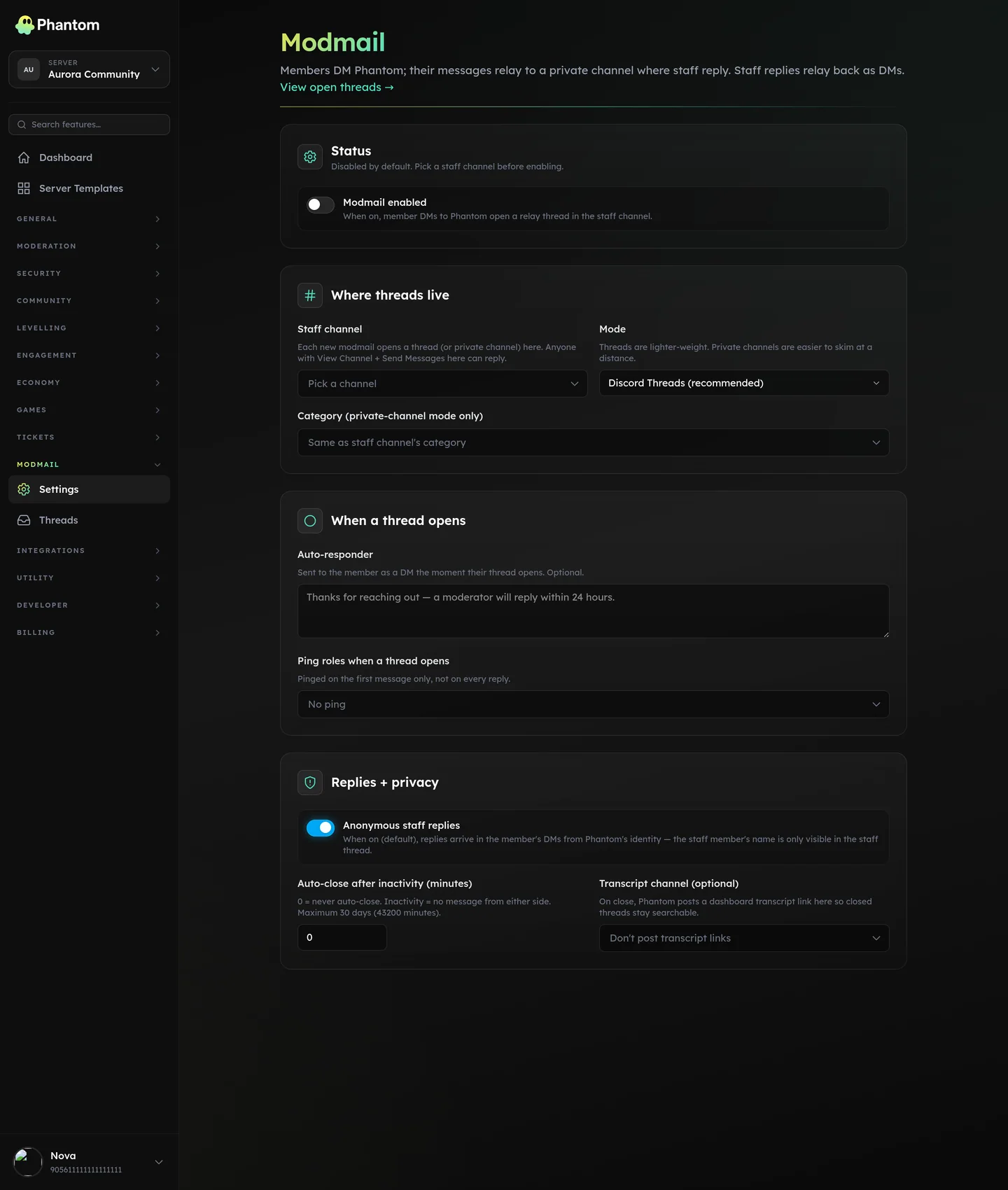 Modmail → Settings.
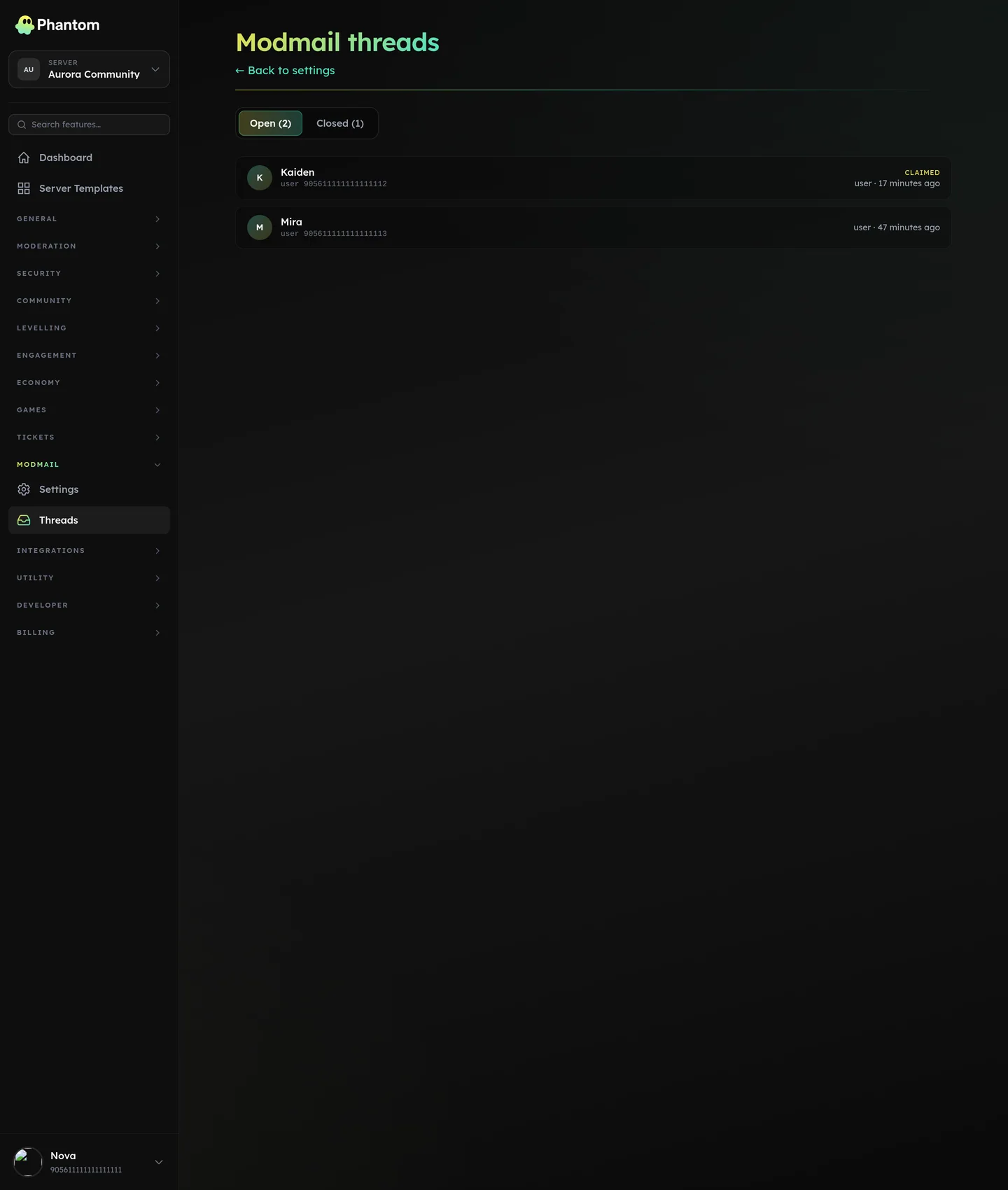 Modmail → Threads.
Each conversation is one modmail thread. A member has at most one open thread per server at a time — every DM they send while a thread is open relays to the same staff thread.
Setup
- Open Dashboard → Modmail.
- Pick a staff channel — every new modmail will open a private thread (or private channel) under it.
- Pick a mode:
- Discord Threads (recommended) — Phantom creates a private thread per modmail. Lighter weight, automatic archiving.
- Private channels — Phantom creates a fresh text channel per modmail under the chosen category. Use this if your community prefers the channel-list visibility.
- (Optional) Set an auto-responder, ping roles, and auto-close cadence.
- Toggle Enabled.
Required bot permissions in the staff channel:
- View Channel, Send Messages (always)
- Create Private Threads, Send Messages in Threads (thread mode)
- Manage Channels (private-channel mode — to create the per-modmail channel)
Manage Webhooks is optional but recommended: it lets the relay show each member's own username and avatar in the staff thread. Without it Phantom posts the message itself with the member's name in the body, so nothing is lost — just the impersonation.
How a thread opens
- A member DMs Phantom.
- Phantom checks which of your servers the member belongs to and which of those have modmail enabled.
- If there's exactly one match, Phantom opens a thread there. If there's more than one, Phantom picks one consistently so subsequent DMs from that member always land in the same place. (An explicit "which server?" prompt is coming.)
- The thread shows up in your staff channel with a context card — the member, when they joined the server, and your configured role ping.
- The member receives the auto-responder DM if one is configured.
- The bot adds ✅ to the member's DM to confirm it landed.
From that point on:
- Every DM the member sends shows up in the staff thread under their own username and avatar so staff can see who's writing at a glance.
- Every message a staff member writes in the staff thread is delivered as a DM to the member. With Anonymous staff replies on (default), the DM comes from Phantom; with it off, it's prefixed with the staff member's name.
Canned responses
Modmail shares the canned-response library with tickets, so a snippet you write once is available in both places. Manage them at Dashboard → Tickets → Resources.
Two ways to send one from a modmail thread:
- Type
?<name>as the whole message — Phantom deletes your trigger, DMs the member the response, and posts what was sent into the thread so the transcript matches the conversation. - Run
/pmodmail canned <name>and pick from the autocomplete list.
Placeholders are substituted for the modmail thread: {user} is the member who opened it, {assignee} and {claimer} are whoever claimed the thread, and {ticket} renders empty because a modmail has no ticket number.
If you type ?something and there's no canned response by that name, Phantom tells you in the thread rather than sending the typo to the member. A ? followed by a space is treated as ordinary text, so you can still ask a member "? what do you mean".
Closing
Staff can close a thread three ways:
/pmodmail close [reason]in the thread.- The Force close button on Dashboard → Modmail → Threads.
- Automatically, if Auto-close after inactivity is set and no one has written in either direction for that long.
On close:
- The member receives a short close DM with the optional reason.
- The staff thread is locked and archived (thread mode) or left intact (channel mode).
- If a Transcript channel is configured, Phantom posts a link there so the conversation stays easy to find.
Slash commands
| Command | What it does |
|---|---|
/pmodmail close [reason?] | Close the current thread. The reason is DM'd to the member. |
/pmodmail claim | Mark yourself as the owner so other staff know it's covered. |
/pmodmail unclaim | Release your claim. |
/pmodmail block [@user?] | Block a member from opening modmail (defaults to this thread's member). |
/pmodmail unblock @user | Unblock. |
/pmodmail canned <name> | Send a saved canned response to this thread's member. |
Anyone with Manage Messages or Administrator can run these. If you've set up team roles, granting the Modmail "edit" permission works too.
Privacy
- Anonymous staff replies (on by default): the member only sees "Phantom" as the sender — they don't see which staff member replied.
- The staff thread always shows the staff member's name so other staff can tell who's working the thread.
- The dashboard transcript shows both sides of the conversation and is only visible to users with the Modmail "view" permission.
Rate limits
To keep things sane:
- A member can open at most one new modmail thread every 5 minutes.
- Inside an open thread, each side can send up to 10 messages per minute. Above that, the message is held back and the bot reacts ⏱️ — the next message a minute later goes through normally.
Webhooks (outbound events)
| Event | When it fires |
|---|---|
modmail.thread.opened | A new thread opens (one event per member contact, not per relay). |
modmail.thread.closed | A thread closes — manual, auto, or from the dashboard. |
Subscribe via Developer → Webhooks.
Troubleshooting
| Symptom | What to check |
|---|---|
| Member DMs the bot, nothing happens | Is modmail enabled? Does the bot have the staff-channel permissions listed above? Is the member blocked? |
| It worked once, then stopped | Phantom now repairs this by itself. If the staff thread was deleted, the next DM opens a fresh one; if Discord archived it, Phantom un-archives it before relaying. A member whose message could not be put in front of staff gets ⚠️ and an explanation instead of a ✅. |
?name didn't send a canned response | The name has to be attached to the ? and the message has to start with it. Check the exact name at Dashboard → Tickets → Resources, or use /pmodmail canned and pick from the list. |
| Staff replies aren't reaching the member | The member has DMs from server members disabled, or has left every server you share with Phantom. The bot reacts ❌ on the staff message and posts a one-line note in the thread when this happens. |
| Thread opened but the staff channel didn't ping | The configured ping roles ping on the first message of a new thread only, not on every reply. |
| Member is in multiple modmail-enabled servers — the wrong one got it | Until the explicit server picker lands, route each member to a specific server by keeping modmail enabled in only one of the servers you share with them — or use distinct custom bots per server so each member only DMs the bot for the right server. |