
Starboard Phantom Pro
A "starboard" is a channel that automatically collects your community's favourite messages. When a message earns enough reactions of a chosen emoji, Phantom reposts it to a dedicated channel — a hall of fame nobody has to curate manually.
Phantom Pro feature
Starboard is a Phantom Pro feature. Phantom Pro is £4.99/month or £49.99/year and covers one server. On a Free server the dashboard page opens to a locked view with an upgrade link, and the feature stays switched off in Discord until you subscribe from Plans & Billing.
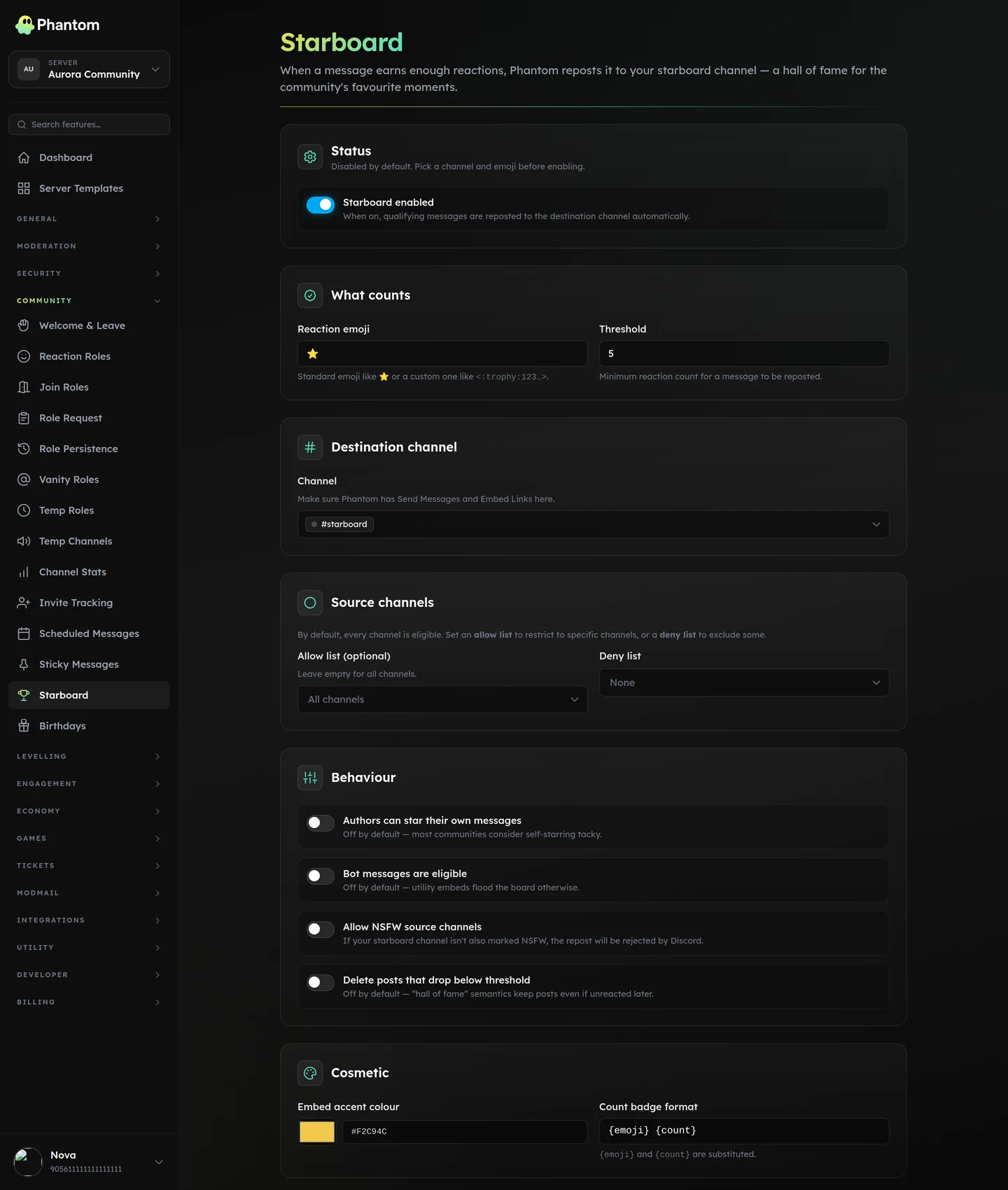 Community → Starboard.
Setup
- Open Dashboard → Community → Starboard.
- Pick a destination channel (a fresh
#starboardis conventional). - Choose a reaction emoji —
⭐by default, but any unicode or custom server emoji works. - Set a threshold — the minimum reaction count for a message to be reposted. 5 is a good default for a small server, 10–15 for a busy one.
- Toggle Enabled.
Make sure Phantom has Send Messages and Embed Links in your destination channel.
How a message gets to the starboard
| 1. | Someone reacts with the configured emoji on any eligible message. |
| 2. | Phantom counts reactions. |
| 3. | When the count hits the threshold, a styled embed is posted to your starboard channel. The post links back to the source message. |
| 4. | Further reactions update the count badge on the post (debounced — at most one edit per 5 seconds, so a viral message doesn't trip Discord's edit rate limit). |
| 5. | If "Delete below threshold" is on and the count later drops back below the threshold, the post is removed. By default this is off — once a message qualifies, it stays. |
Eligibility
The defaults rule out the most common annoyances:
- Bot messages are ignored. Utility embeds would flood the board.
- Self-stars don't count. Authors can't promote their own messages.
- NSFW source channels are ignored unless you opt in. Reposting NSFW content into an SFW channel violates Discord's policy.
- The starboard channel itself is ignored — reacting on a starboard entry can't recursively create another entry.
Plus per-channel control:
- Allow list: if set, only the listed channels are eligible.
- Deny list: the listed channels are never eligible.
Threads inherit their parent channel's allow/deny status.
Viral messages
A trending message in a busy server can rack up dozens of reactions per second. Phantom handles this gracefully:
- The count badge on the post updates at most once every 5 seconds, so a runaway message never spams the channel.
- Even if a message crosses the threshold the moment two people react simultaneously, it gets posted to the starboard exactly once.
You don't have to do anything to get this — it's automatic.
Custom emoji
Use the raw emoji code, exactly as it appears when you type \:trophy: in Discord:
<:trophy:1149267334815813722>(That backslash-then-colon trick is the easiest way to grab it.) Animated emoji work too — <a:emoji:id>.
Privacy
The starboard reposts the source message's text and (if present) the first image attachment. The author's avatar and username are shown. There is no opt-out per-author today; if you need one, deny the channel(s) that author posts in via the deny list.
Troubleshooting
| What you see | What to check |
|---|---|
| "I reacted but nothing happens." | Is the module enabled on the dashboard? Did you use the exact emoji the config expects? Is the source channel in the allow list (if you set one)? |
| "Phantom replied with a permissions error in the log." | Phantom is missing Send Messages or Embed Links in the destination channel. |
| "I reacted in an NSFW channel and nothing posted." | Allow NSFW source channels is off by default. Even if you enable it, make sure your starboard channel is also marked NSFW or Discord will reject the repost. |
| "The post count looks stale." | The count badge updates at most once every 5 seconds — give it a moment, the next reaction will pick up. |