
Public Page
A public landing page for your Discord server, hosted by Phantom and editable from the dashboard. Every server Phantom joins gets one, listed in the Phantom server directory, with a shareable link you can put anywhere.
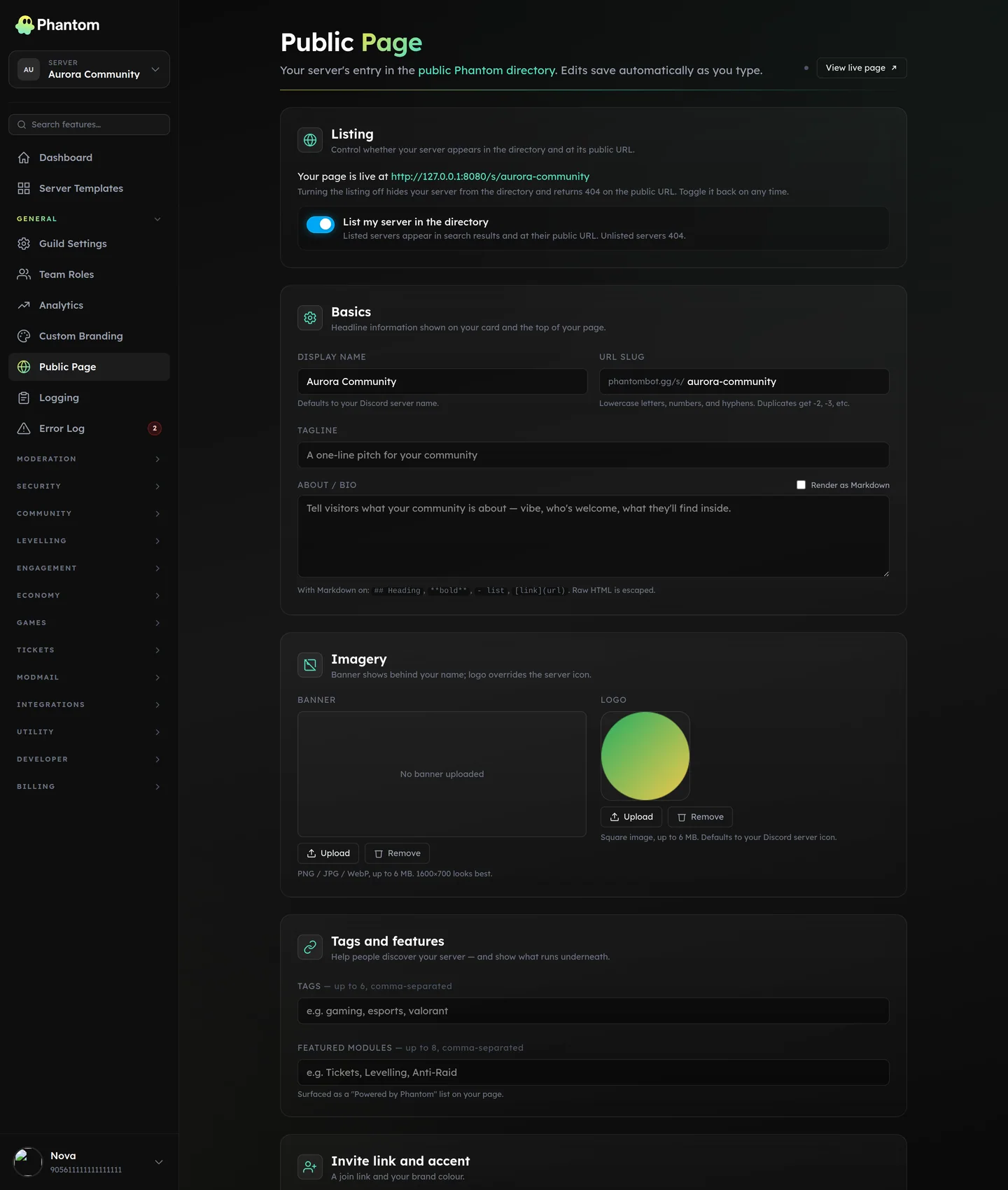 General → Public Page.
Where it lives
Dashboard: General → Public Page. The page itself is served at phantombot.gg/s/your-slug, and appears in the directory at phantombot.gg/servers/directory.
Listing and privacy
Your page is listed by default. Turn Listed off and two things happen at once: the server drops out of the directory, and the slug stops resolving — visitors get a 404 rather than a stale page. Nothing you've written is deleted; switching it back on restores the page exactly as it was.
The showcase strip is opt-in separately (see below), so a listed page shows nothing about your members unless you ask it to.
What you can put on it
| Section | Limits |
|---|---|
| Display name | 2–100 characters. Defaults to the server name. |
| Tagline | Up to 200 characters. The one line under the name. |
| Bio | Up to 4,000 characters. |
| Slug | 3–64 characters, lowercase letters, numbers and hyphens. This is the URL. |
| Tags | Up to 6, 24 characters each. Used by directory search. |
| Featured modules | Up to 8 of the Phantom features you actually use. |
| Links | Up to 8, each with a label, URL and icon. |
| Socials | One URL per platform. |
| Videos | Up to 3, each with a caption. |
| Gallery | Up to 8 images, each with a caption up to 120 characters. |
| Rules | Up to 12, each a title and a short description. |
| FAQs | Up to 8 question-and-answer pairs. |
| Call-to-action buttons | Up to 2, label up to 24 characters. |
| Invite URL | Your Discord invite, so visitors can actually join. |
Every URL you enter is sanitised before it's saved. Links that don't resolve to a real, allowed destination are rejected rather than quietly published.
Look and feel
- Banner — upload your own, or leave it and Phantom uses your Discord server banner.
- Hero video — an external embed at the top of the page instead of a static banner.
- Theme — a secondary colour, an overlay strength for the banner, a layout choice and a font preset.
Showcase strip
Three optional blocks that pull live data from your server:
- Top members — your levelling leaderboard's top few.
- Top channels — busiest channels by message volume.
- Recent winners — the latest giveaway winners.
Each is off until you switch it on. Anonymise showcase keeps the blocks but strips names, so you can show that the server is active without publishing who's in it. If you run a server with younger members, leave the showcase off or anonymised.
Tips
- Set the slug before you share the link. Changing it later breaks every link already out there.
- Fill in tags. They're what directory search matches against.
- Put the invite URL in. A landing page with no way to join is a dead end.
- Keep the bio short at the top. Rules and FAQs have their own sections; the bio doesn't need to carry everything.
Related pages
- Server Templates — publish your server's structure for others to apply
- Partnerships — swap adverts with other servers
- Custom Branding — run Phantom under your own bot