
Role Requests
Let members ask for a role from a list you approve, instead of handing out permissions by hand. Each request lands in a staff channel with Approve and Deny buttons — one click assigns the role or turns the request down with a reason.
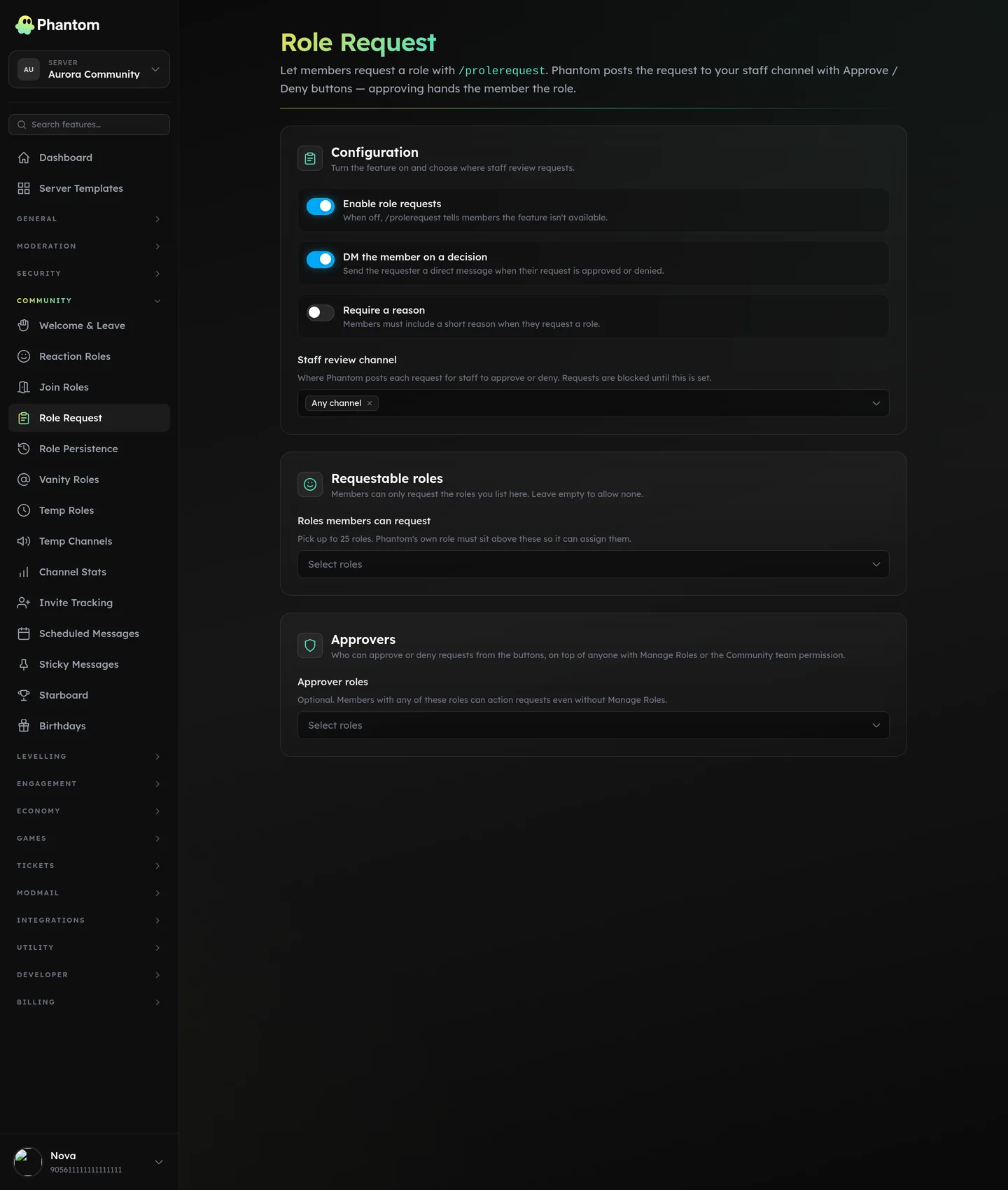 Community → Role Request.
Where it lives
Dashboard: Community → Role Requests. Slash command: /prolerequest.
For members
Both replies are private to the member.
/prolerequest request <role> [reason]— ask for a role. The role must be one your server has made requestable. A reason is optional unless your server requires one./prolerequest list— see which roles you're allowed to request.
For staff
When a member requests a role, Phantom posts an embed in your review channel with Approve and Deny buttons. Approving assigns the role; denying opens a short box where you can add a reason the member will see.
Anyone in these groups can approve or deny:
- A Discord Administrator or the server owner
- Anyone with the Discord Manage Roles permission
- A configured approver role
- A team role with the
community.editpermission
Settings
| Setting | What it does |
|---|---|
| Enabled | Master switch. When off, the member commands reply that role requests aren't available. |
| Requestable roles | The list of roles members are allowed to request. Anything not on the list is refused. |
| Review channel | Where Approve/Deny embeds are posted for staff. Requests can't run until this is set. |
| Approver roles | Optional roles that get pinged for each new request and can approve or deny it. |
| Require reason | When on, a member must include a reason or the request is refused. |
| DM on decision | When on, the member is messaged when their request is approved or denied (denials include the reason). |
Good to know
- A member can't have two open requests for the same role at once, and can't request a role they already have.
- If two staff act on the same request at the same moment, only the first click counts — the other sees that it's already handled.
- On approval, Phantom needs Manage Roles, and the requested role must sit below Phantom's highest role. If it can't assign the role, the request still closes with a note explaining why.
- If the member leaves before a decision, no role is assigned and the request notes it.
Troubleshooting
| What you see | What to check |
|---|---|
| "Role requests aren't available." | The module is disabled, or no review channel is set. |
| "That role can't be requested." | The role isn't on the requestable roles list. |
| Approved, but the member didn't get the role. | Phantom is missing Manage Roles, or the role sits above Phantom's highest role. |
| The member wasn't messaged about the decision. | DM on decision is off, or the member has DMs from server members turned off. |
Related pages
- Reaction Roles — self-serve roles from a message
- Join Roles — roles given automatically on join
- Team Roles & permissions — who can approve requests